

Mango AI’s Video Multiple Face Swap Lets Users Change Every Face in Group Clips
Mango AI’s video multiple face swap tool replaces each face in a short clip that features several people, letting users assign a separate target photo to every face in the footage.
The video multiple face swap makes group clips as straightforward to edit as single-person videos, since users simply pair a photo with each face and let the AI handle the rest." said Winston Zhang, CEO of Mango Animate.
Group scenes have long been trickier to edit than solo shots, and Mango AI addresses this with a video multiple face swap tool that changes several faces within a single clip. Instead of handling one person at a time, the feature lets users pair a target photo with each face in the footage and swap them all together.
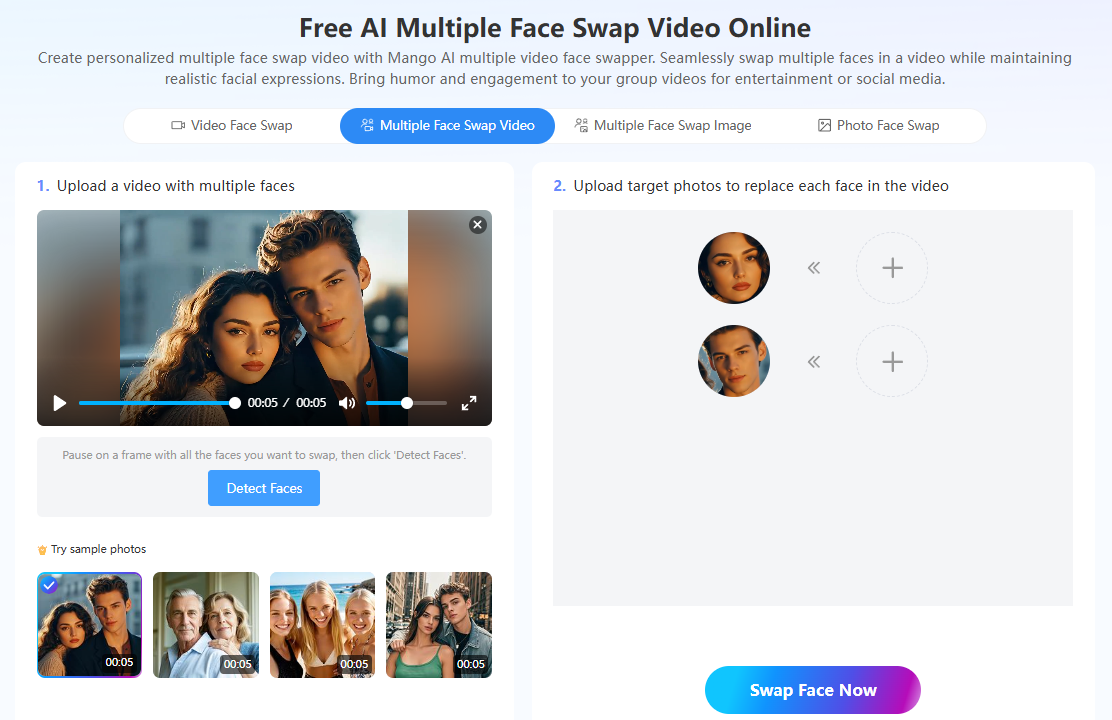
To begin, users upload a source video of up to 15 seconds and 30MB that shows multiple faces, then add a target photo for each face they want to replace. The video multiple face swap tool matches every substitution to the right subject and renders the combined result once all the target images are in place.
Sample photos are provided so users can try the video multiple face swap before preparing their own material, which makes the setup easier to follow. For clips that contain just one person, Mango AI also offers a single-subject video face swap tool, giving users an option that matches the number of faces on screen.
The video multiple face swap runs entirely online, so there is nothing to download or install before starting. Users open the tool in a browser, add their clip and target photos, and generate the swapped video in a few steps, keeping the process quick and lightweight for group footage.
Finished clips from the video multiple face swap tool suit friend-group memes, team videos, and playful social content, and they can be downloaded and shared across common platforms. For still group photos rather than video, Mango AI provides a multiple face swap image tool that applies the same many-faces approach to a single picture.
The video multiple face swap works most reliably when each face in the source clip is clearly visible and the target photos show clean, unobstructed faces. Providing sharp reference images for every subject helps the tool match and blend each swap accurately across the footage.
“The video multiple face swap makes group clips as straightforward to edit as single-person videos, since users simply pair a photo with each face and let the AI handle the rest. It joins related Mango AI tools such as the single-face video face swap and the multiple face swap image feature for photos,” said Winston Zhang, CEO of Mango Animate.
To learn more about how to create clips with this video multiple face swap tool, please visit Mango AI.
About Mango Animate
Mango Animate builds software for animation and AI-assisted video creation, aiming to put advanced editing techniques within reach of a broad audience. Its Mango AI platform offers online tools for animating images, swapping faces in photos and videos, and adding motion effects, supporting creators across marketing, education, and entertainment.
( Press Release Image: https://photos.webwire.com/prmedia/99391/359574/359574-1.png )
WebWireID359574
 Video Multiple Face Swap
- Contact Information
- Winston Zhang
- CEO of Mango Animate
- Mango Animate Software Co., Ltd.
- (86) 02061972665
- Contact via E-mail
This news content may be integrated into any legitimate news gathering and publishing effort. Linking is permitted.
News Release Distribution and Press Release Distribution Services Provided by WebWire.